Costs and budgets
Price model use, report spend by team, agent and model, and hold teams to monthly budgets.
Grounded meters every model call in its usage ledger. With prices entered, it reports what that use costs, and it can hold each team to a monthly budget. Cost tracking is off by default: nothing changes for anyone until you choose a mode. Everything is under Usage & spend → Costs (Overview · Budgets · Prices · Settings). Platform admins change it; auditors can read it.
1. Enter prices
Prices can be entered while the mode is still Off, so tracking starts with correct figures.
- Costs → Prices lists every chat, embedding, SystemOne and moderation model with its price today. A missing price shows Unpriced.
- Open a model, then Change prices in its Pricing section.
- Choose Effective from (a day in the platform time zone) and fill in the units you're changing. Units left empty keep their price.
| Model kind | Units |
|---|---|
| Chat | Input tokens and output tokens, per 1M |
| Embedding | Tokens per 1M (whatever unit your gateway reports) |
| SystemOne | Input tokens per 1M, and per request |
| Moderation | Per request |
| Vision (OCR) | Input and output tokens, per 1M |
- Prices are dated, never edited. A change adds rows. Each day's usage is priced at the row in effect that day, so past spend doesn't change when a price does.
- Pricing past usage: choose a date in the past. Usage already recorded from that day is priced at once.
- A mistake: delete the row. Usage on its days goes back to the row before it, or to unpriced.
- Unpriced usage costs nothing and is flagged in every report, so a missing price is visible rather than silently free.
The currency is a display code only; there's no conversion. Tesseract and Tika OCR pages are counted but not priced.
2. Choose a mode
Costs → Settings:
| Setting | Default | Meaning |
|---|---|---|
| Cost tracking | Off | Off: nothing is tracked or refused. Track only: spend is reported to platform staff and each team's owners and admins; a team with a budget shows progress ("not enforced"); nothing is refused or notified. Enforce: Track only plus enforced monthly budgets. |
| Currency | USD | The ISO 4217 code amounts are shown in. |
| Time zone | UTC | Budget months and report days follow it (an IANA name such as America/New_York). Daily limits still reset at midnight UTC. |
| Warning threshold | 80% | Owners and admins are notified once a month when spend reaches it. |
| Default monthly budget | None | The budget of teams without their own. |
A team's own mode overrides the platform's: Inherit, Off, Track only or Enforce, on its admin page's Overview → Budget card, or Change budget… on Costs → Budgets. A common rollout:
- Enter prices and set the platform to Track only for a month. Compare the Overview with your gateway's bill.
- Give a pilot team a budget and Enforce.
- Set the platform to Enforce with a default budget, and give larger teams their own.
3. Reading spend
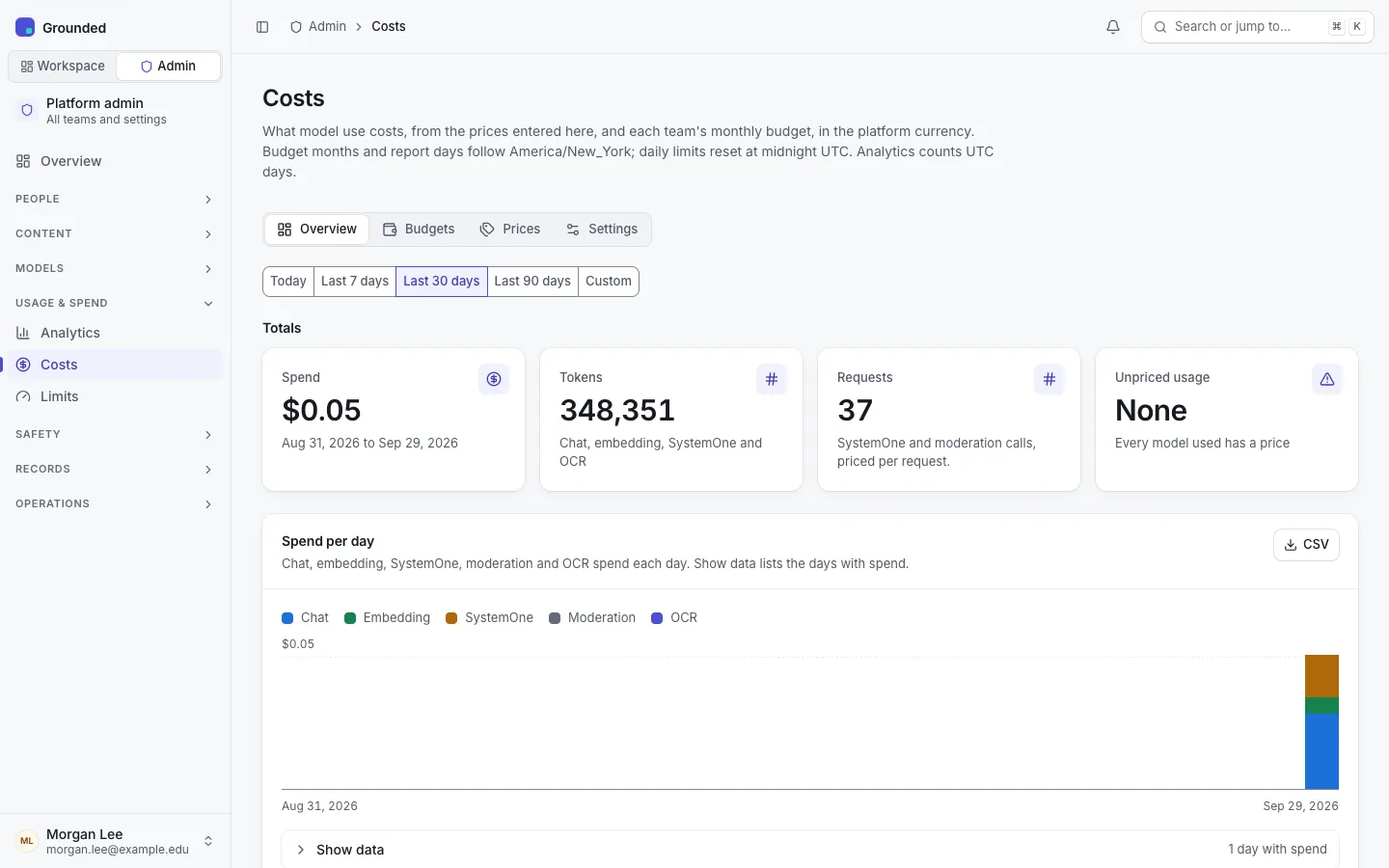
- Overview: total spend over a date range, a daily chart by kind (chat, embedding, SystemOne, moderation, OCR) with the day table behind Show data, and Top spenders by Teams, Agents or Models. One CSV button downloads the grouping shown, every row.
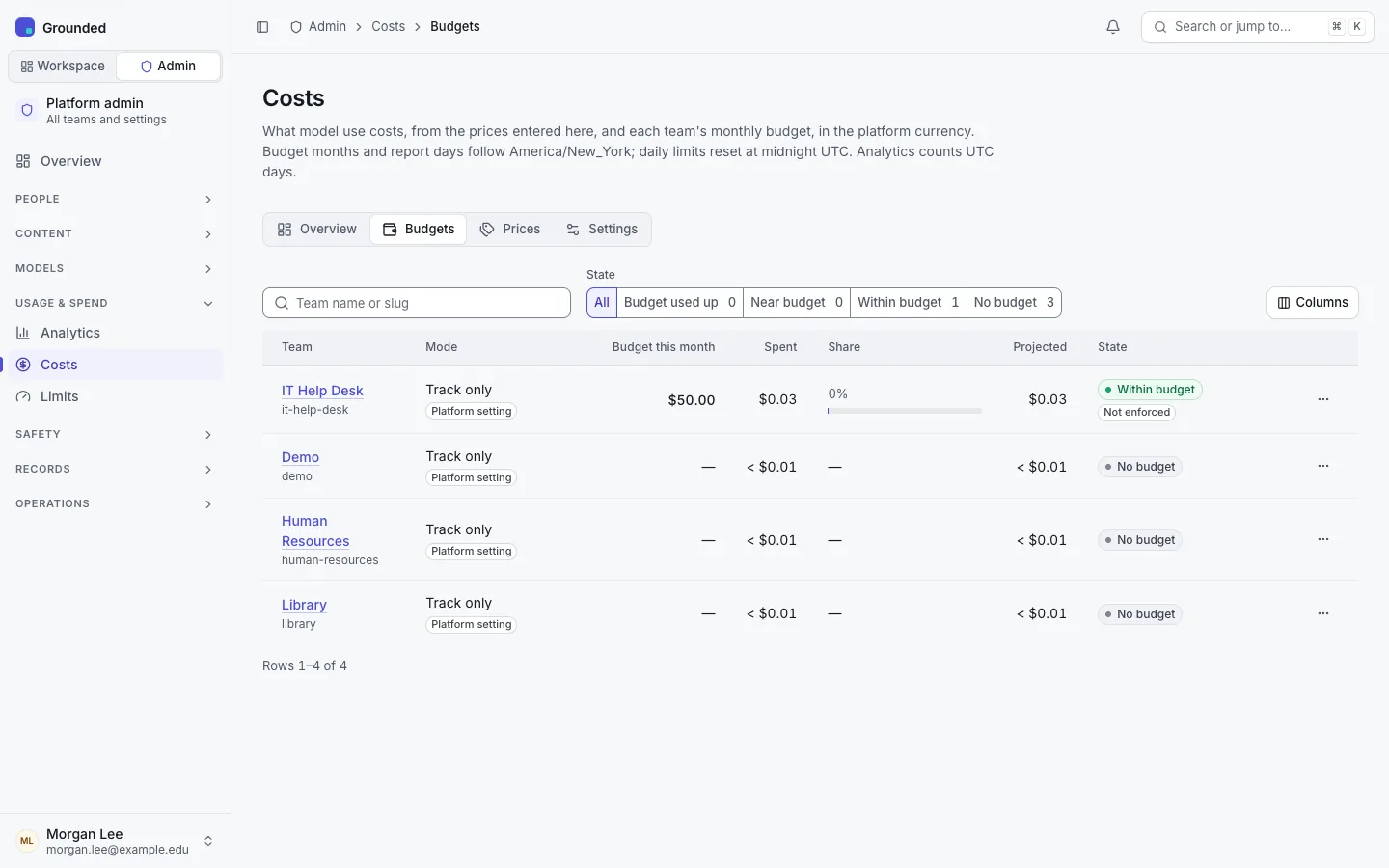
- Budgets: every active team's mode, budget (plus this month's extensions), month-to-date spend, share and projected month-end.
- Teams see their own spend: owners and admins in Usage & spend, on the team Overview, and on each agent's Analytics tab. Editors and members see no money.
Figures come from an hourly rollup of the ledger, plus the latest hour read live. Usage outside agents (direct searches, ingestion) is listed as "Not from an agent".
4. At the threshold and at 100%
- Track only: nothing below happens.
- At the threshold: the team's owners and admins are notified once a month (in the app and by email; it can't be turned off). Everyone in the team sees a banner; only owners and admins see amounts.
- At 100% (Enforce): everything that calls a model stops for the team. Chats in every channel and knowledge base searches are refused (429
budget_exhausted); anonymous visitors of public agents see only "This assistant is unavailable right now". New ingestion waits and crawls pause. Nothing is deleted or failed, and the team appears under Needs attention. - At the start of the next month, in the platform time zone, everything continues by itself.
5. A team whose budget is used up
Check its spend and projection on Costs → Budgets or its Budget card; the Overview, filtered to the month, shows which agents and models used it. Then:
- Grant extension: an amount for this month only, with a reason. It lapses when the month ends.
- Change budget: for this and later months.
- Do nothing: the team resumes next month.
Either change takes effect at once: waiting documents are queued, paused crawls continue and chats are admitted again.
Limitations
- Budgets are checked against a figure cached for up to 30 seconds per server, so a busy team can go over its budget by about that much use. Documents already being ingested when a budget runs out finish; only pending ones wait.
- Re-embedding during a profile migration isn't checked against budgets.
- Usage that retention had purged before costs existed (v0.2.0) is kept per UTC day, so budget months before then are exact only to the day.
- There are no per-agent budgets.
Troubleshooting
| Symptom | Check |
|---|---|
| Spend is zero but models were used | The Prices tab: the models are unpriced, or their prices start after the usage. |
| A team is refused although you raised its budget | Its own mode and budget on its Budget card: its own budget wins over the default. |
| Figures differ from the gateway's bill | Unpriced models, prices dated too late, and the unit your gateway reports for embeddings (tokens or characters). A price entered per token instead of per million shows up as a huge spend: delete that row. |