The admin portal
A tour of the admin portal for platform admins and auditors, and what each role can and can't do there.
The admin portal (/admin) is where platform admins run the install and platform auditors review it. People with either role get a Workspace / Admin switch at the top of the sidebar. Workspace is the ordinary experience; Admin shows only platform pages. Each side remembers the last page you visited in that browser tab.
No content access by default
Neither role can read a team's documents or anyone's conversations. The admin portal shows settings, metadata, usage and logs. A platform admin who needs to read a team's content opens an audited, time-limited break-glass session, and the team's owners are told.
Who can do what
| Platform admin | Platform auditor | |
|---|---|---|
| See every admin page | Yes | Yes, read-only (a "Read-only" badge in the top bar) |
| Change settings, create teams, manage models | Yes | No |
| Place legal holds, open break-glass sessions | Yes | No, but can see them |
| Read team content | Only under break-glass | Never |
The first platform admin is set by configuration (First platform admin). After that, admins grant platform roles under People → Users. The last active platform admin can't be demoted or suspended.
Overview
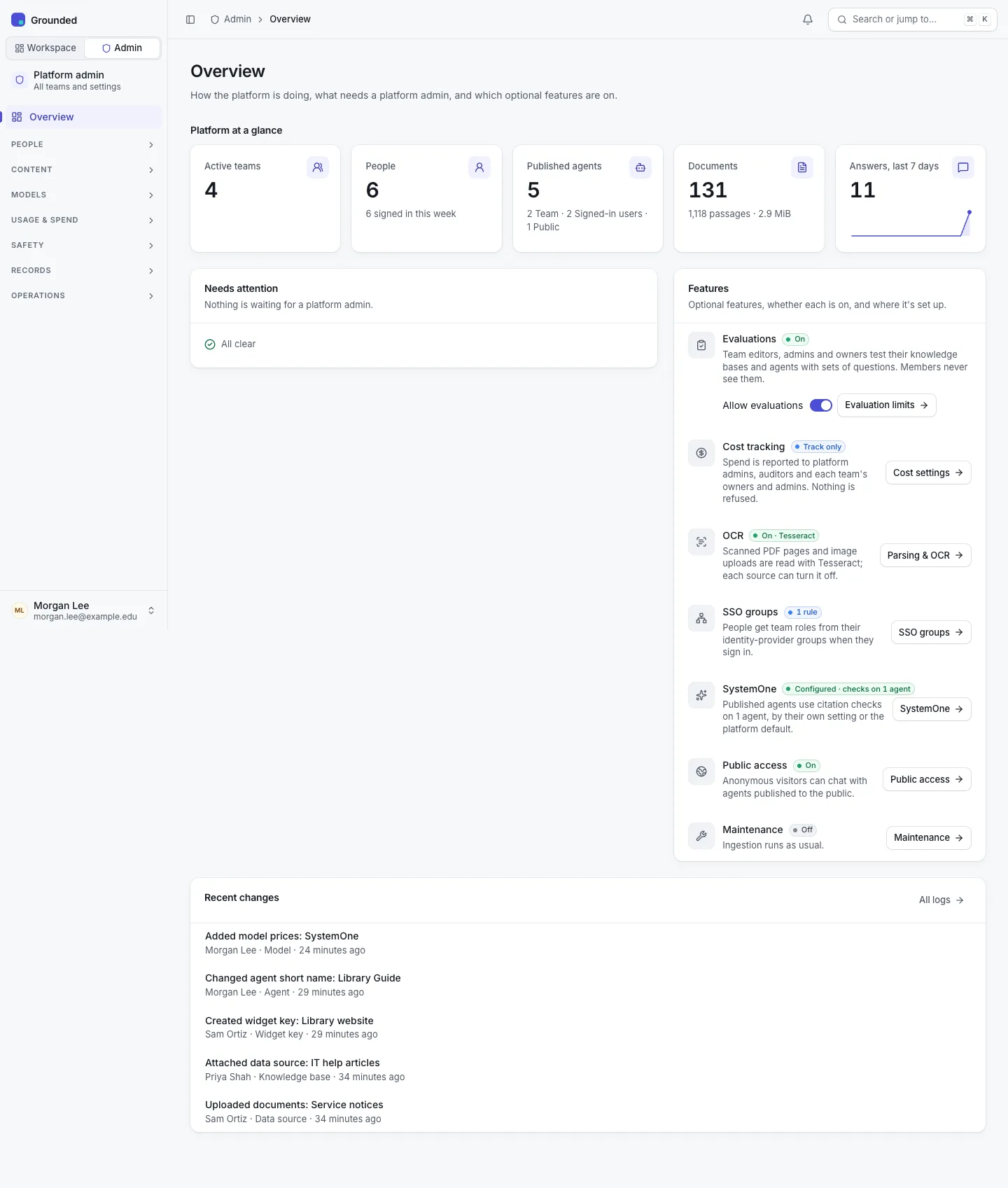
The admin portal opens on Overview:
- Platform at a glance: teams, people, agents, documents and answers, compared with the week before. A new install also gets a Set up this install checklist: add a connection and models, embedding profiles, moderation, and the first team.
- Needs attention, beside Features. Needs attention lists what an admin should act on: domain requests, teams near or over budget, documents that failed to index, keys still on a previous pepper, and configuration warnings such as an empty crawl allowlist or no email. Features lists each optional feature with its state.
- Recent changes: the last five audit entries, with All logs.
The sidebar
The admin sidebar has Overview and seven groups. Only Overview and the group of the page you're on open by themselves; other groups stay as you left them.
| Group | Pages |
|---|---|
| People | Users, Teams, SSO groups |
| Content | Shared sources, Agents, Crawl domains, Parsing & OCR |
| Models | Connections, Models, Embedding profiles (Profiles · Migrations), SystemOne |
| Usage & spend | Analytics, Costs, Limits |
| Safety | Classifications, Moderation, Public access |
| Records | Logs, Retention (Periods · Dry run · Runs · Legal holds), Break-glass |
| Operations | Maintenance |
The command palette (⌘K or Ctrl+K) finds admin pages and, for platform staff, teams, users, models, connections, embedding profiles and shared sources by name. It never returns another team's content.
On a phone (below 600 px wide) the sidebar is a drawer opened from the top bar.
Conventions
- Records open as pages over their list (a model, a connection, an audit entry, a hold), with a back link. Each can be linked to.
- Changes are audited with before and after values, and most admin writes use revision checks: if another admin saved first, you're asked to reload rather than overwriting their change.
- Moved pages keep their old addresses as redirects, for example
/admin/legal-holdsand/admin/profile-migrations.