Features overview
The optional features on the admin Overview's Features card, their defaults, and where each one is set up.
Several of Grounded's features are optional. Every one of them except evaluations is off on a new install, and nothing changes for anyone until an admin sets it up. The admin Overview has a Features card with each feature's state and a link to where it's configured. Auditors see the states.
| Feature | Default | Where it's set up | What it needs |
|---|---|---|---|
| Evaluations | On | The switch on the Features card; limits under Limits | Nothing extra |
| Cost tracking | Off | Costs: Off, Track only or Enforce | Prices for your models |
| OCR | Off | Parsing & OCR | A backend: the OCR sidecar, Apache Tika's full image, or a vision model |
| SSO groups | No rules | SSO groups | A groups claim from your identity provider |
| SystemOne | Not configured | SystemOne | A service that answers POST /v1/systemone |
| Public access | Off | Public access | A moderation provider for the public audience |
| Maintenance | Off | Maintenance | Nothing extra |
The card says more than on or off where it matters:
- Cost tracking names teams whose own mode differs from the platform's, for example "Track only · 1 team enforced".
- SystemOne says how many published agents use its checks ("Configured · checks on 2 agents"), by their own setting or the platform default.
- SSO groups shows the number of rules.
- OCR shows the chosen backend.
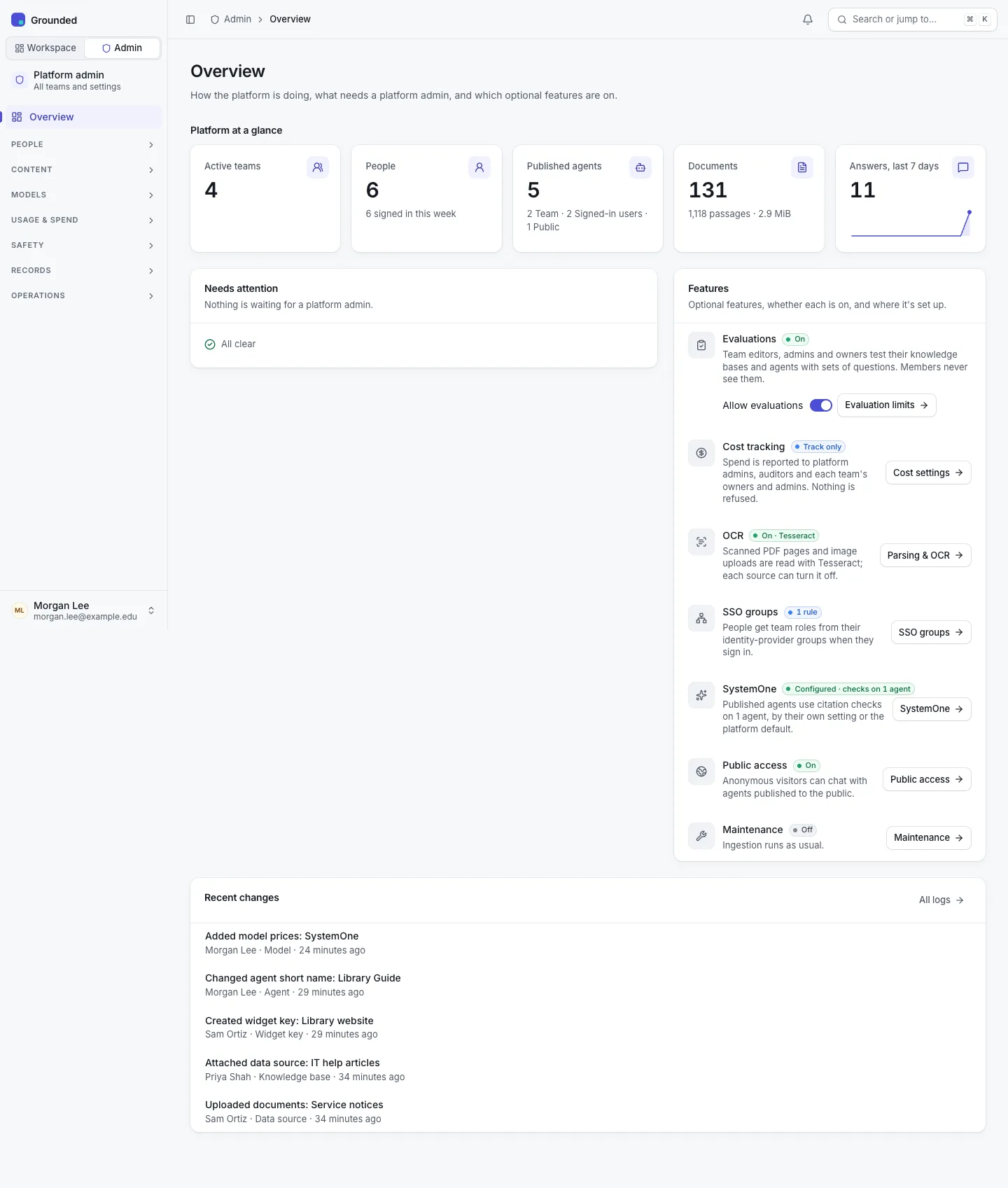
The evaluations switch
Evaluations are on by default. Turning them off hides every team's Evaluations tabs and pages, makes the evaluation API answer 404 for everyone, and stops automatic runs. Sets and runs are kept and come back when it's turned on again. Turning it off asks for confirmation first, saying what disappears. The switch is audited ("Turned evaluations off").
Before v0.2.1 this switch was under Limits → Evaluations, which now keeps only the two evaluation limits.