API keys
Personal and team service keys, their scopes and restrictions, and how to keep them safe.
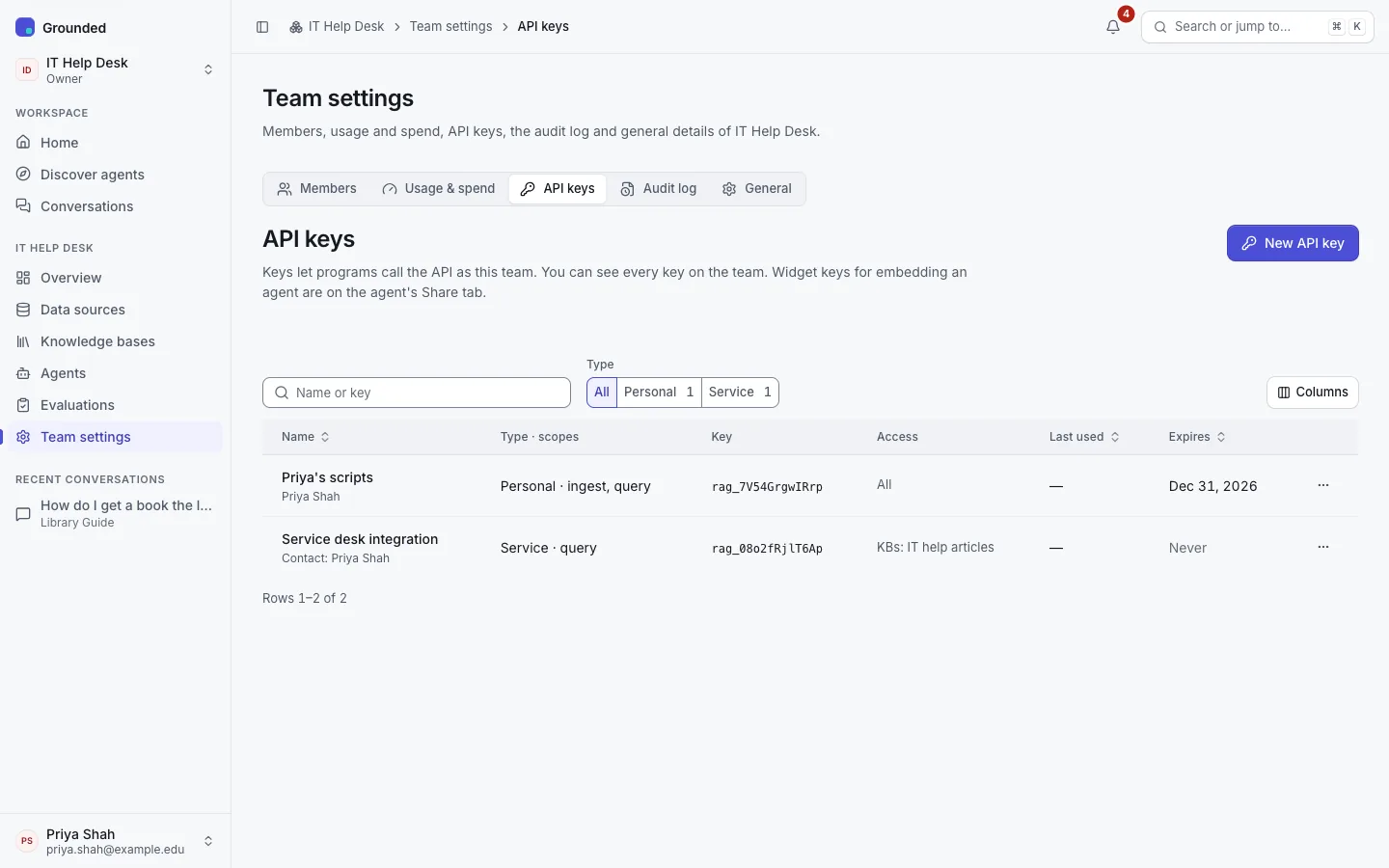
API keys let programs use the team's agents and knowledge bases without a browser: the OpenAI-compatible endpoint, the agent chat API, knowledge base search, and uploads. Create them under Team settings → API keys. Admins and owners see every key of the team; others see their own.
Kinds
| Personal key | Service key | |
|---|---|---|
| Belongs to | You, in this team | The team |
| Who creates it | Any member | Admins and owners |
| Scopes | Depend on your role (below) | Any |
| When you leave the team | Revoked automatically | Keeps working |
| Conversations | Stored for you, like your chats | Stateless: send earlier turns with each request |
A service key has a responsible contact, a team member to ask about it, shown in the key list. An admin can change the contact later.
Scopes and restrictions
| Scope | Allows | Who can grant it on a personal key |
|---|---|---|
| Query | Chat with agents and search knowledge bases | Everyone |
| Ingest | Upload and manage documents | Editors, admins, owners |
| Manage | Change sources and knowledge bases | Admins, owners |
A key can also be restricted to some knowledge bases and some agents. Leave them unchecked to allow every knowledge base, or every agent, of the team. A key can have an expiry date; it stops working at the end of that day.
Keys always belong to one team, and can never administer the platform.
Creating one
- Team settings → API keys → New API key.
- Name it after what will use it ("Course site search"), pick personal or service, the scopes, any restrictions, and optionally an expiry date.
- Copy the secret. It's shown once, right after creation; Grounded stores only a keyed hash of it. The dialog also shows an example request.
Keys look like rag_<id>_<secret>. Send them as a bearer token:
curl -H "Authorization: Bearer $GROUNDED_API_KEY" https://grounded.example.org/v1/modelsRevoking
Revoke… stops the key at once; programs using it get 401. It can't be undone. Revoked keys stay visible from the audit log, read-only, so the history keeps making sense.
Each key's page shows when it was created and last used. Revoke keys nobody uses. If a key may have leaked, revoke it and create a new one.
When the platform rotates its pepper
Platform operators occasionally rotate the secret used to hash API keys. Keys keep working if they're used during the grace period the operators set. A key that isn't used in that time stops working, and you'll need to create a new one. See Security.