Sharing an agent
Choose an agent's audience, and reach it through its links, a public page, an embeddable widget or the OpenAI-compatible API.
Audiences
Each agent has one audience, set in the draft and published with the next version:
| Audience | Who can chat | Who may publish to it | Allowed for |
|---|---|---|---|
| Team | The team's members | Editors, admins, owners | Every level |
| Everyone who signs in | Anyone who can sign in to the install; listed in the agent directory | Admins, owners | Sensitive and less, by default |
| Public | Anyone, without signing in | Admins, owners | Open only, by default |
The "allowed for" column is the default policy: each classification level has a most open audience, which platform admins can change. An agent's level is the level of its most sensitive knowledge base. The Share tab shows each audience with whether it's allowed and, if not, why.
A public audience also needs:
- a moderation policy for the public audience with a working provider (see Moderation and public access), and
- the platform's public access switch turned on. While it's off, public pages, widgets and the public API refuse, and the directory hides public agents.
"Everyone who signs in" means everyone your identity provider lets sign in to Grounded, which may include students, contractors or guests. Ask your platform admin who that is before you publish sensitive material to it. Publishing to everyone who signs in or to the public notifies the team's owners.
Links
The Share tab lists the agent's addresses:
- Team address:
/a/<team>/<agent>. For a public agent, visitors who aren't signed in get the public page here too. - Short address:
/a/<short-name>, if a platform admin has assigned one. - Stable address:
/a/id/<agent-id>. It never changes, even if the team or agent is renamed; widgets use it.
Public page
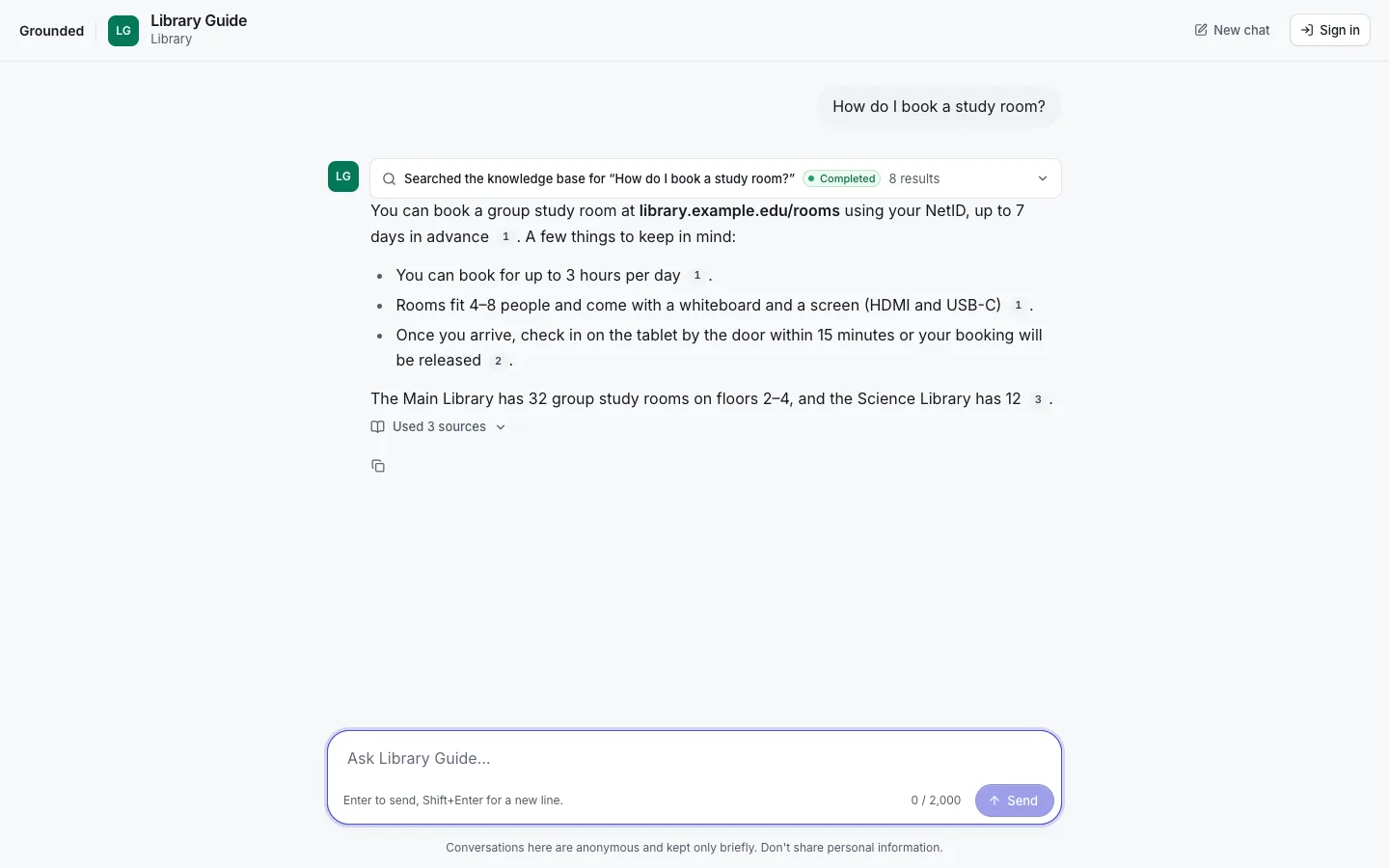
A public agent's page is a minimal, branded chat that works without the app: the install's name, the agent's header and the conversation, with a Sign in link. Anonymous visitors chat in a session that ends 24 hours after its last use. Their conversations are deleted after the classification level's anonymous retention (24 hours by default). If the platform turned on CAPTCHA, visitors complete it when a session starts.
Public traffic is bounded: questions per minute per IP address and per visitor session, daily questions and tokens per agent, concurrent chats per agent, and a maximum question length. Platform admins set the defaults; a widget key can override the per-minute limits within them.
Widget
The widget puts the agent on another website as a launcher button that opens a chat panel. It's an iframe of a page Grounded serves, so the host site's styles and scripts can't reach it.
Create a publishable key
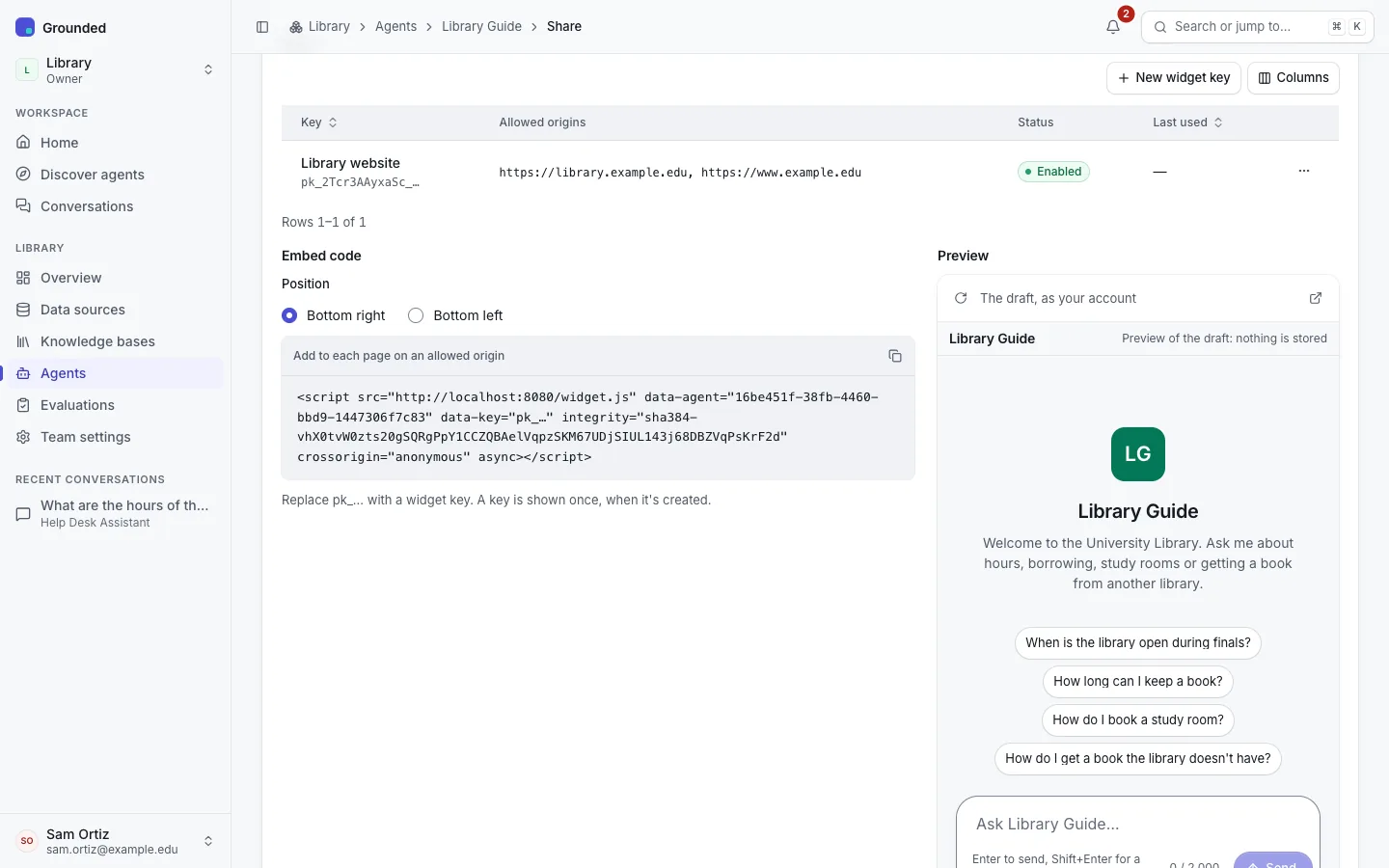
Team admins and owners create one under Share → Widget. A publishable key (pk_…) can only start chat sessions with this one agent. Give it:
- a name;
- Allowed origins: the sites that may embed it, such as
https://www.example.org, or a wildcard likehttps://*.example.org. Exact origins only: no path, query or fragment. - optionally, lower per-minute limits (Questions per minute per address, per visitor).
The key is embedded in web pages, so it isn't secret. What protects it is the allowed origins list, enforced by the embed page's frame-ancestors policy and checked when a session starts, and the rate limits.
Copy the snippet
Paste it into the site's HTML:
<script src="https://grounded.example.org/widget.js"
        data-agent="<agent-id>" data-key="pk_…"
        integrity="sha384-…" crossorigin="anonymous" async></script>
data-position="bottom-left" moves the launcher from the default bottom right. The Share tab fills in your install's address, the agent's ID and the script's Subresource Integrity hash; replace pk_… with your key, which is shown only once, when it's created.
Check the preview
The Share tab shows a live preview, and Open in new tab opens it on its own.
The launcher uses the agent's accent colour and is named "Chat with agent" for screen readers. Escape closes the panel and returns focus to the launcher. Revoke a key to stop every site that uses it; the platform's kill switch and public access switch also stop embeds.
OpenAI-compatible API
Every agent is also a model on Grounded's OpenAI-compatible API, named agent:<team>/<agent>. Any client that speaks the OpenAI chat completions API can use it with an API key of the agent's team:
curl https://grounded.example.org/v1/chat/completions \
  -H "Authorization: Bearer $GROUNDED_API_KEY" \
  -H "Content-Type: application/json" \
  -d '{"model": "agent:my-team/student-help",
       "messages": [{"role": "user", "content": "How do I request a transcript?"}]}'
Answers carry citations and, with SystemOne citation checks, claims. See OpenAI-compatible chat and API keys.