Versions and publishing
Drafts, immutable published versions, comparing two versions and reverting the draft.
Build and Appearance edit an agent's draft. Nobody chats with the draft except editors in the Try it panel. Publish turns the draft into a new, numbered version that can't be changed, and people always chat with the latest published version.
Publishing
- Try the draft in the Try it panel.
- Choose Publish in the editor's header. Grounded checks the draft against the platform's rules first: the chat model must be approved for the knowledge bases' classification, and the audience must be allowed for it (and for a public audience, moderation and public access must be ready). If a check fails, Publish says which field to fix.
- The new version goes live at once. The header's badge reads, for example, "v5 live".
Editors can publish to the team. Only admins and owners can publish a version whose audience is everyone who signs in, or the public; the editor says so under Publish. Publishing notifies the team's owners when the audience is everyone who signs in or public, and starts the automatic runs of the agent's evaluation sets, if any are set to run automatically.
Settings (name, address, description), Share (links and widget keys) and disabling aren't versioned: saved changes apply at once.
The version menu
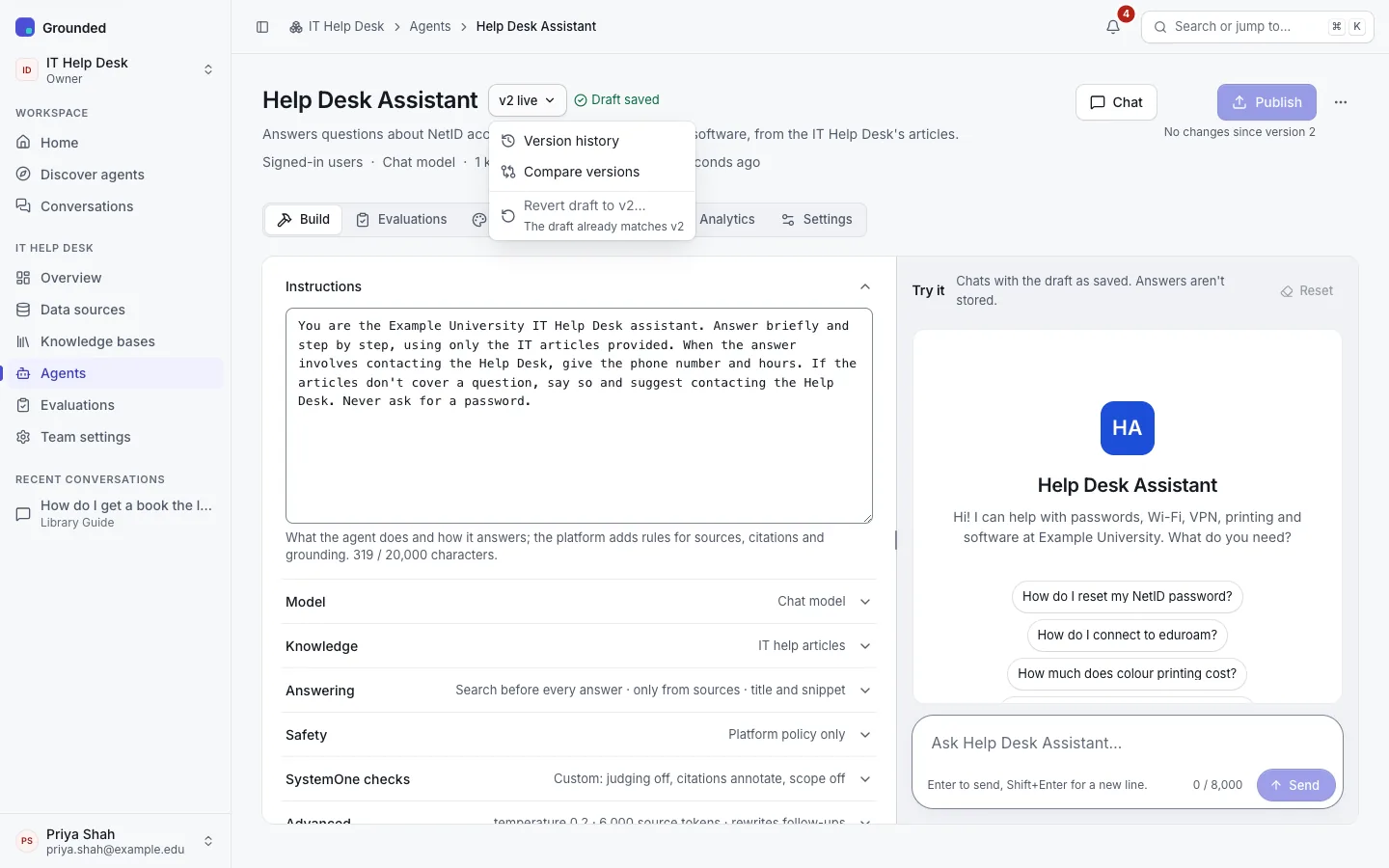
The header's version badge ("v4 live", or "Draft" before the first publish) opens a menu:
- Version history: every published version, with when it was published and its classification, and whether the draft has unpublished changes. A version opens as a page of its own with its full settings.
- Compare versions: any two versions (or the draft and a version) side by side. Settings that changed are listed in a table by the names Build uses, with knowledge bases and the model by name. SystemOne checks and the moderation override are included.
- Revert draft to v4…: replace the draft with a published version's settings. It's disabled, with the reason, while the draft already matches that version. A version page and a history row offer the same, naming the version ("Revert draft to v3…").
Reverting changes only the draft. Publish it to make it live.
Why versions matter
- Audits and evaluations can name a version. Evaluation runs record the agent version they tested, and the score chart marks runs whose version differs from the run before.
- Conversations record the version that answered each message.
- Rules are checked again on every question. If the platform later tightens a rule (for example it lowers a model's approved level), a published version that no longer passes is refused rather than quietly degraded. Fix the draft and publish again.