Agent analytics
How an agent is used and how well it answers, from metadata only. No question or answer text is ever shown.
An agent's Analytics tab shows how it's used and how well it answers, over a period you choose. It's built from metadata recorded with each answer, never from message content: you can't see who asked what, or what the agent said.
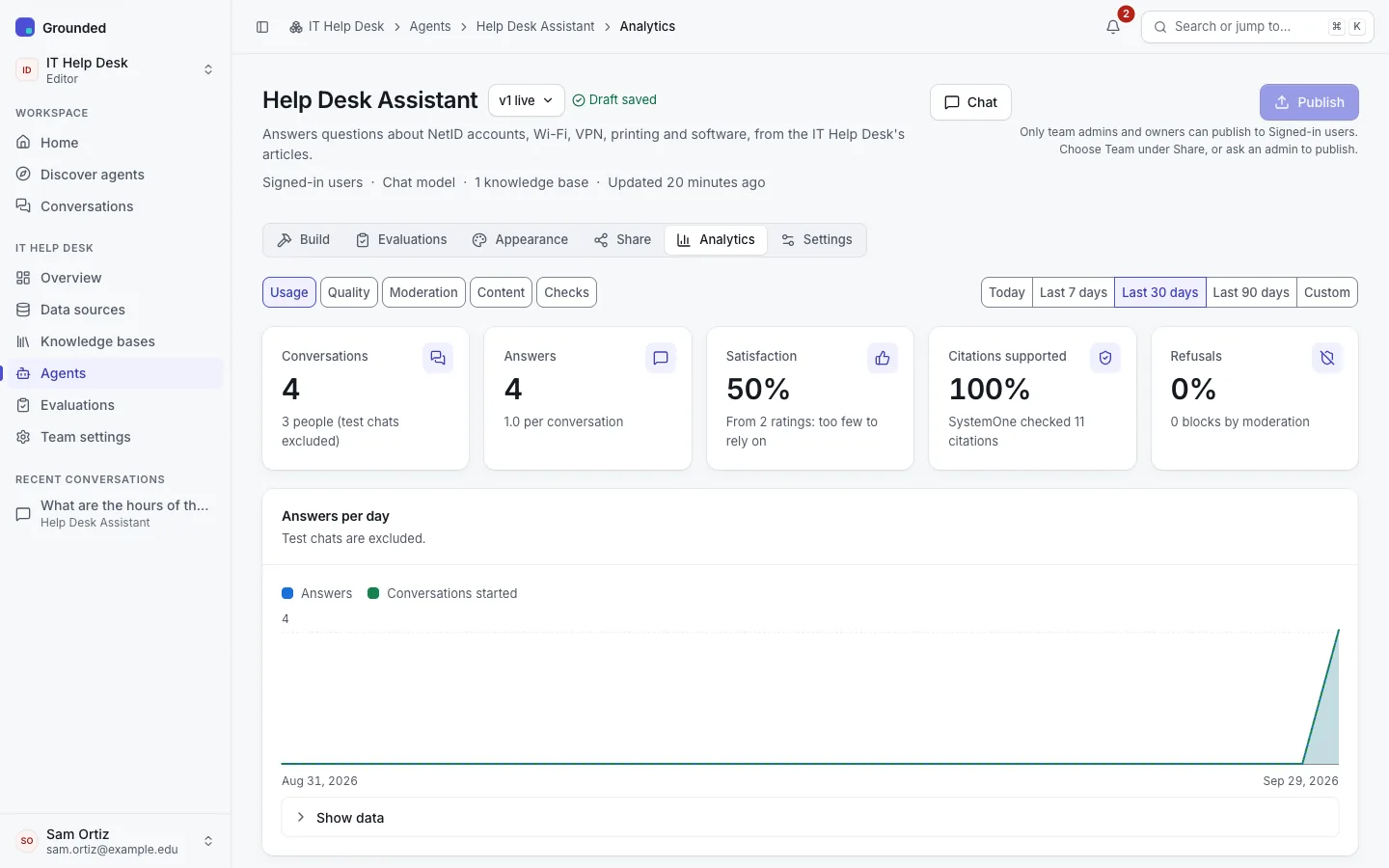
What's there
| View | Shows |
|---|---|
| Usage | Answers per day, conversations started, answers by channel (app, API, OpenAI-compatible API, public page, widget, test chats) and by audience, tokens by model (input, output, reasoning; query rewriting included), speed (latency and time to first token), and errors. For owners and admins while cost tracking is on, Spend this month and the agent's share of the team's spend. |
| Quality | Satisfaction from thumbs up and down, feedback reasons, refusals, and how often no sources were found. |
| Moderation | Questions blocked, answers withheld, flagged answers and support messages, by category. |
| Content | The documents the agent cites most. |
| Checks | Shown while the platform has a SystemOne model: passages judged and kept, citation checks and the scope check. |
Test chats from the Try it panel are left out of everything except token usage.
Reading the checks
With citation checks on, the Checks view leads with claims, counted the way the chat does: "Claims supported: 3 of 6 claims supported · 3 uncited". Beside it, Cited sources that support their claim is a different measure: of each claim–source pair checked, how often the source backs the sentence that cites it.
- A low claims figure with a high per-source figure usually means sentences without citations. Ask for citations in the instructions, or check the model.
- A low per-source figure means the agent cites passages that don't say what it claims. Look at the knowledge base with Try it, and consider passage judging.
Privacy
Analytics never contain message text, and never identify people. Unique-user counts use pseudonymous IDs, which change if the platform rotates its API key pepper. Platform admins see the same kind of aggregates across the platform, also without content.