Chatting with an agent
Asking questions, reading citations and claim verdicts, giving feedback, and managing your conversations.
Finding an agent
Home lists the agents you can use. The agent directory groups them:
- Your teams: agents of the teams you belong to.
- Across the organisation: agents published to everyone who signs in.
- Public: public agents, while the platform allows public access.
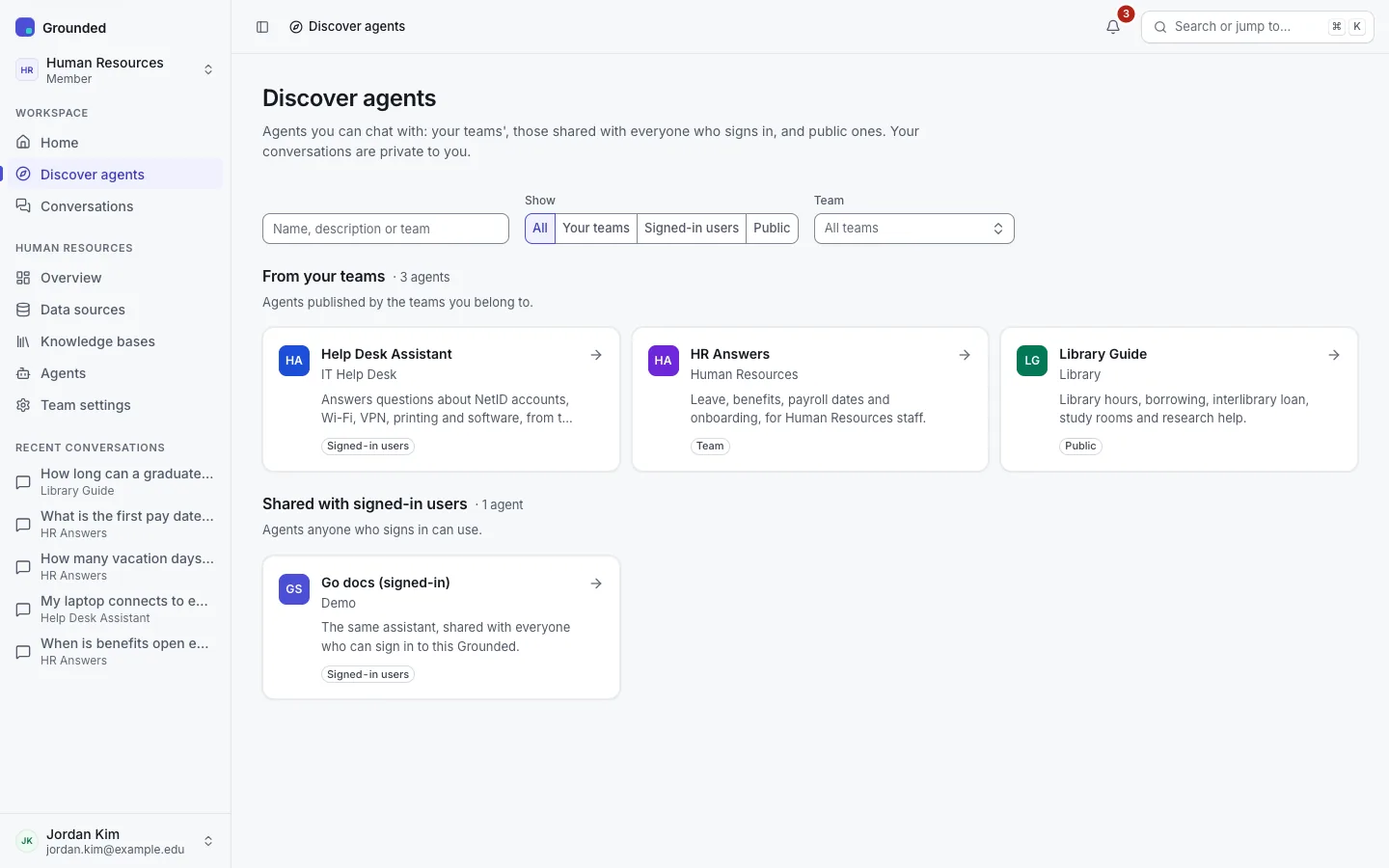
You can also type an agent's name in the command palette (⌘K or Ctrl+K). An agent may also have a public page or appear in a widget on a website; those work without signing in (see Public pages and the widget).
Asking a question
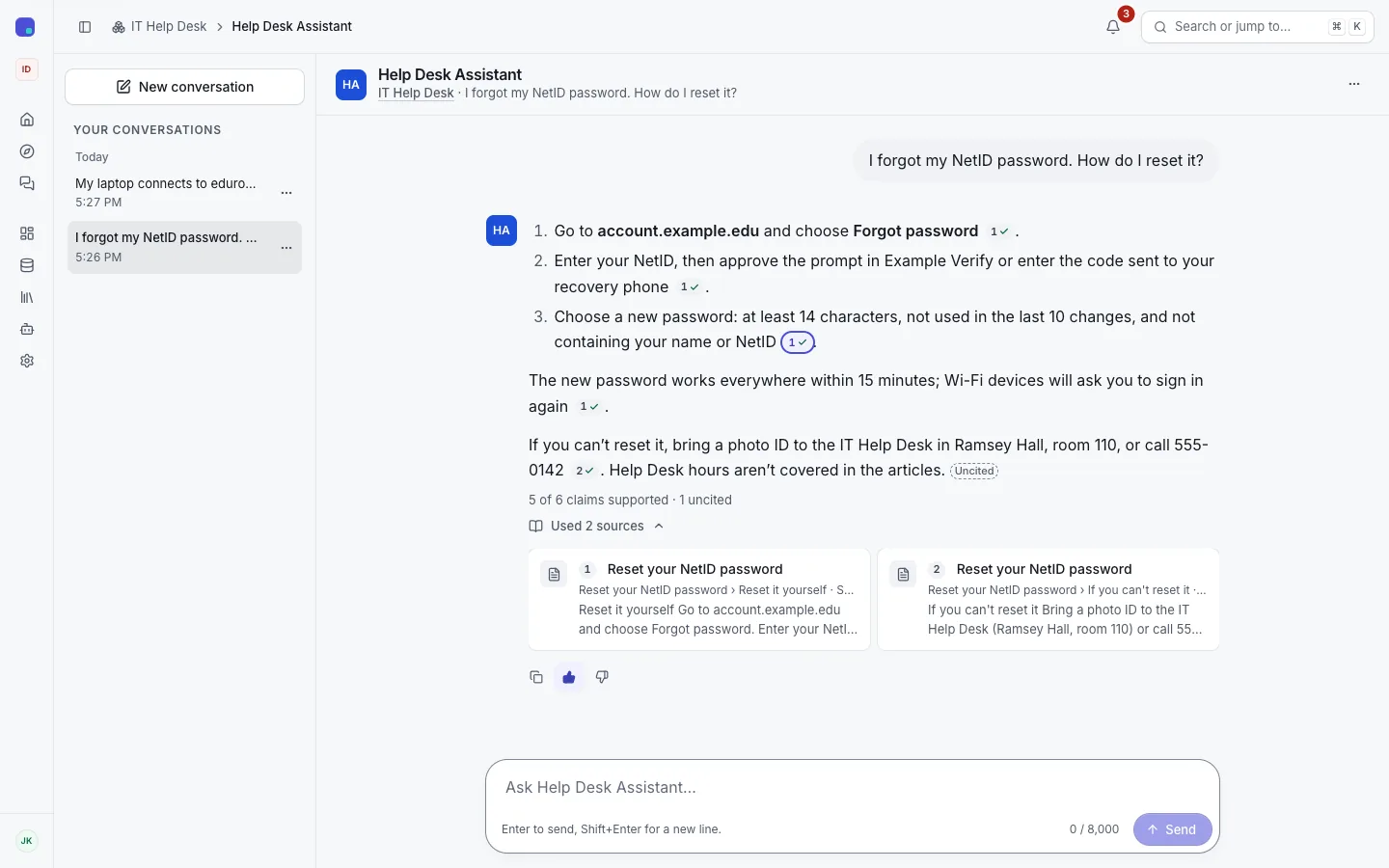
Open an agent and type your question, or pick one of its starter questions. Enter sends; Shift+Enter adds a line.
- The answer streams in as it's written. While the model is thinking you see "Thinking…", never its reasoning.
- Follow-up questions can refer to earlier turns ("and for a second copy?"). Grounded rewrites them into a question that stands alone before it searches.
- You can stop an answer while it's being written. The part written so far is kept.
- If you're offline, the question stays in the box with Retry. An answer cut off midway says so and offers Retry.
When the agent can't answer
Agents are strictly grounded unless their team turned that off. A strictly grounded agent answers only from its sources:
- If its sources cover part of your question, it answers that part and says what they don't cover.
- If they have nothing relevant, it replies with the team's refusal message and says it searched. The agent's starter questions appear below, as a hint of what it covers.
- With a scope check on, a question outside the agent's subject gets "This is outside what agent covers." without a search.
- Greetings and small talk get a short reply and an offer to help.
An agent that isn't strictly grounded may also answer from the model's general knowledge, and must say which part isn't from the sources.
Moderation
Public agents, and any other agent the platform or its team chooses, check questions and answers against a moderation policy. A blocked question or answer is replaced by a notice. On public agents the answer is checked before it's shown, so you see "Thinking…" until it's ready. If the safety check itself is unavailable, a public agent refuses with "The safety check is unavailable right now. Please try again."
Citations
Each factual sentence should end with a numbered citation chip such as [1]. Sources are numbered 1, 2, 3… in the order the answer uses them.
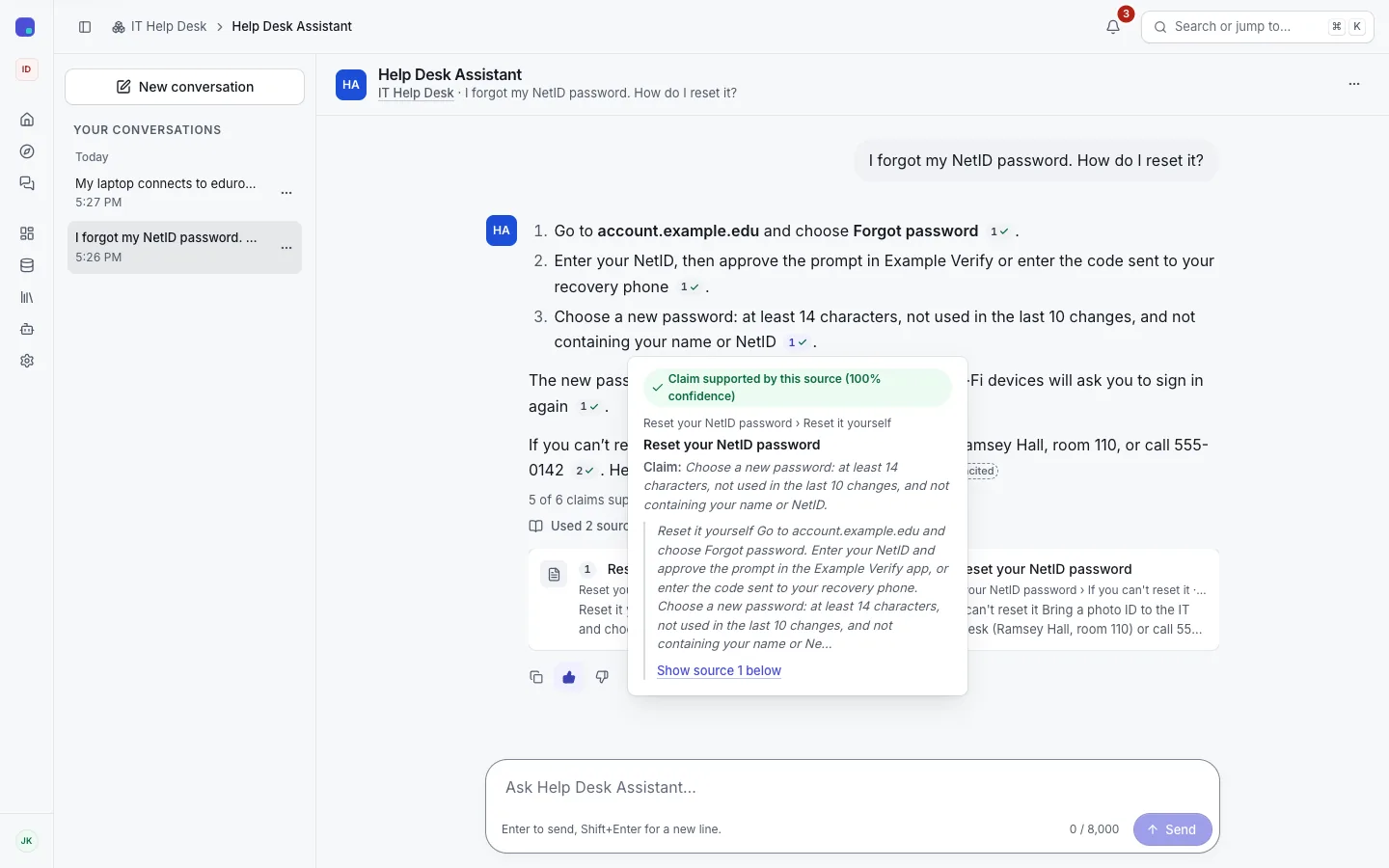
- Hover, click, or press Enter or Space on a chip to open its card: the cited passage, with its heading path and pages. Focus moves into the card; Escape returns you to the chip.
- Show source n below opens the answer's sources, which start collapsed, and moves to that source.
- A web page is linked to its original URL when the agent's citation mode includes links. Uploaded files are cited by title only; you can't download them from a chat.
Claims and verdicts
When the platform has a SystemOne model and citation checks are on for the agent, Grounded checks each claim, a factual sentence of the answer (a list item or a table row counts as one), against the sources it cites. Each claim gets one verdict:
| Verdict | Meaning | On the chip |
|---|---|---|
| Supported | At least one source it cites supports it. | A check mark |
| Not supported | It cites sources, and none of them supports it. | A warning; red when its own source contradicts it |
| Uncited | It states a fact but cites nothing. A small "Uncited" mark follows the sentence. | No chip |
| Unchecked | Nothing supports it and a check failed or timed out. | No mark |
Headings, questions, greetings and sentences such as "the sources don't mention the fee" aren't claims.
The answer has a one-line summary above its sources, such as "9 of 10 claims supported · 1 uncited". It counts supported claims over supported, not supported and uncited ones; unchecked claims are left out.
A chip's card states its claim's verdict first, then what this source says about it, for example "Claim not supported. This source contradicts it (92% confidence)". A supporting verdict under 50% reads "with low confidence". Under the answer, each source card says how many of the claims citing it it supports ("Supports 2 of 3 claims that cite it").
- In a streamed answer, the checks run after the text is complete. "Checking the citations…" shows until they finish, then the verdicts appear in place.
- Some agents enforce the checks: citations that are confidently unsupported are removed, and if none of the answer's claims is supported, a strictly grounded agent replies with its refusal instead.
- Answers checked before v0.2.1 show a verdict per citation marker, without claims or a summary.
What a verdict means
A verdict says whether the cited passage backs the sentence. It isn't a judgment of whether the passage itself is correct. A supported claim is only as good as its source.
Feedback
Each answer has thumbs up and thumbs down buttons; the one you chose stays highlighted. A thumbs down asks for a reason from a fixed list: incorrect, not helpful, missing sources, wrong sources, outdated, harmful or unsafe, or other. The team sees counts of ratings and reasons in its analytics, never your question or the answer.
If you're an editor on the agent's team, an answer you rated down, or one without sources, has Add to evaluations. It copies the question, and the documents the answer cited as the expected ones, into an evaluation set; nothing else from the conversation is copied. See Evaluations.
Your conversations
The sidebar lists your recent conversations. The Conversations page has all of them, searchable and filtered by agent and date. From a conversation's "…" menu you can:
- Rename it.
- Export it as Markdown or JSON, with its citations.
- Delete it. It disappears for you at once. The stored copy is removed later according to your organisation's retention rules, which may keep it longer.
Nobody else can read your conversations: not your team's admins, not platform admins. The only exception is a platform admin in a time-limited, audited break-glass session with the conversations scope; your team's owners are told when one starts and ends. Your organisation's terms of use may say more.
If an agent is deleted, its conversations stay readable for you, read-only.
Public pages and the widget
A public agent has a page of its own, and may be embedded on a website as a chat widget. Neither needs you to sign in.
- You chat in an anonymous session that ends 24 hours after its last use (the install may set another length). There's no history across sessions.
- New chat starts a new conversation within the session.
- Anonymous conversations are deleted after a short period, 24 hours by default.
- If you're signed in, a public agent's page keeps your conversations like any other agent's.
- In the widget, Escape closes the panel and returns focus to the launcher button.