Quick tour
A walk through the web app, from asking an agent a question to building one and running the platform.
Grounded's web app has two portals. The workspace is for everyone: the agents you can use, your conversations, and for team members, the team's sources, knowledge bases and agents. The admin portal is for platform admins and auditors. People with a platform role switch between them at the top of the sidebar. ⌘K (Ctrl+K) opens a command palette that finds pages, actions and objects by name anywhere in the app.
Asking a question
Home shows the agents you can use. Open one to chat: it greets you with a welcome message and a few starter questions.
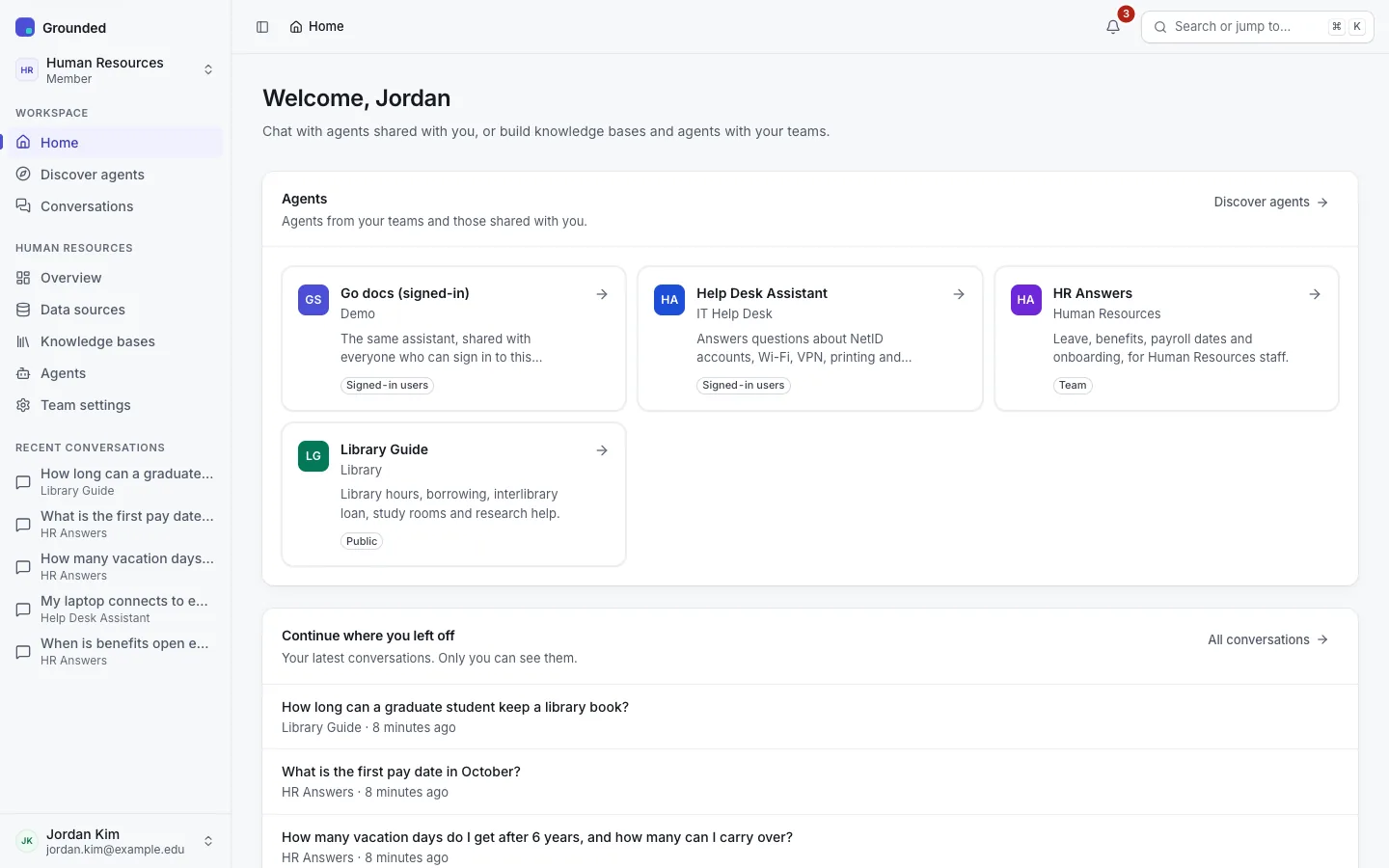
Answers stream in with numbered citation chips. Each chip opens a card with the passage it refers to; the sources under the answer start collapsed. When the platform has a SystemOne model and citation checks are on for the agent, each factual sentence is a claim with a verdict, and the answer carries a one-line summary such as "9 of 10 claims supported · 1 uncited".
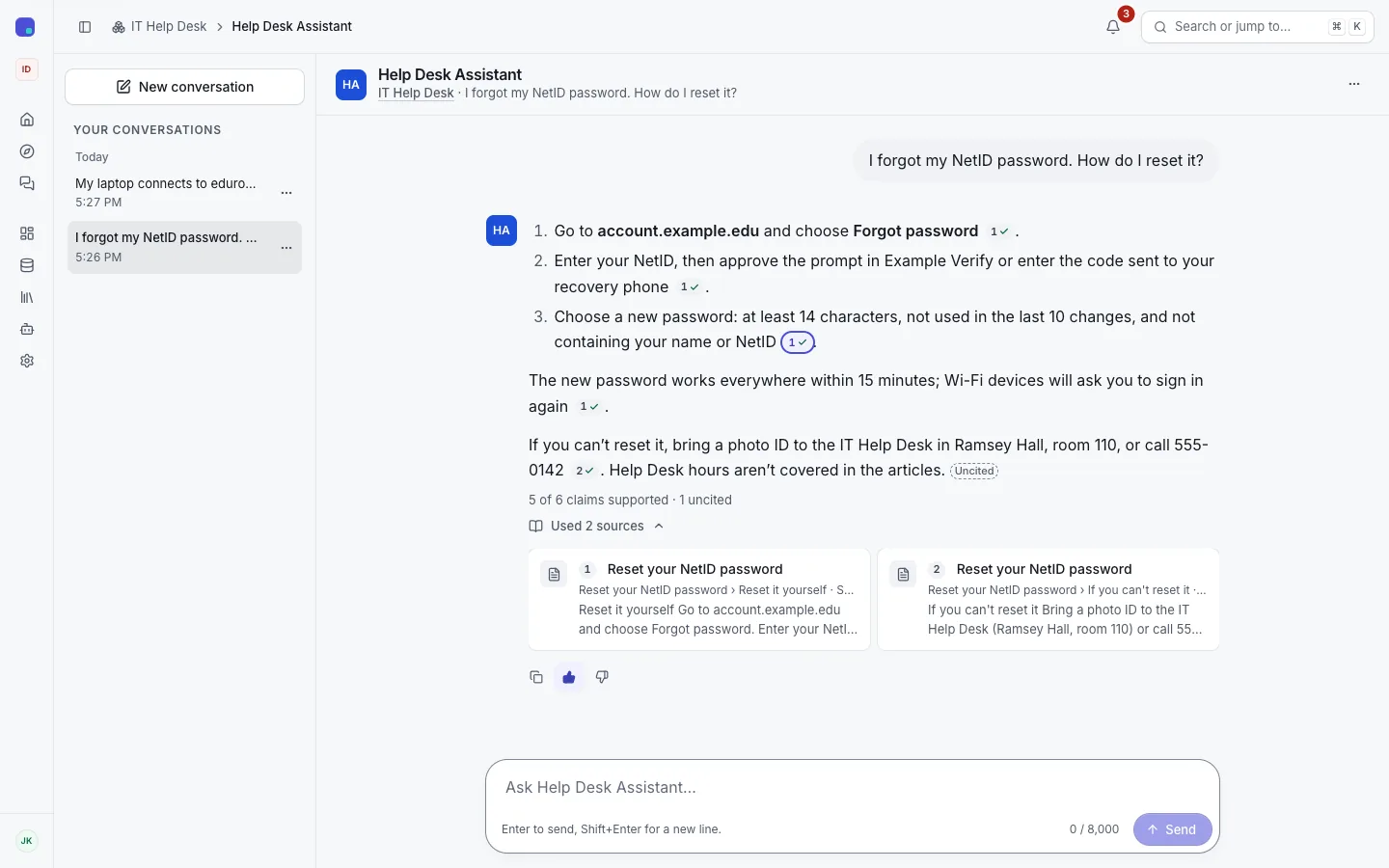
Your conversations are listed in the sidebar and on the Conversations page. Only you can read them. See Chatting with an agent.
Building for a team
A team's sidebar has Overview, Data sources, Knowledge bases, Agents, Evaluations (editors and above) and Team settings.
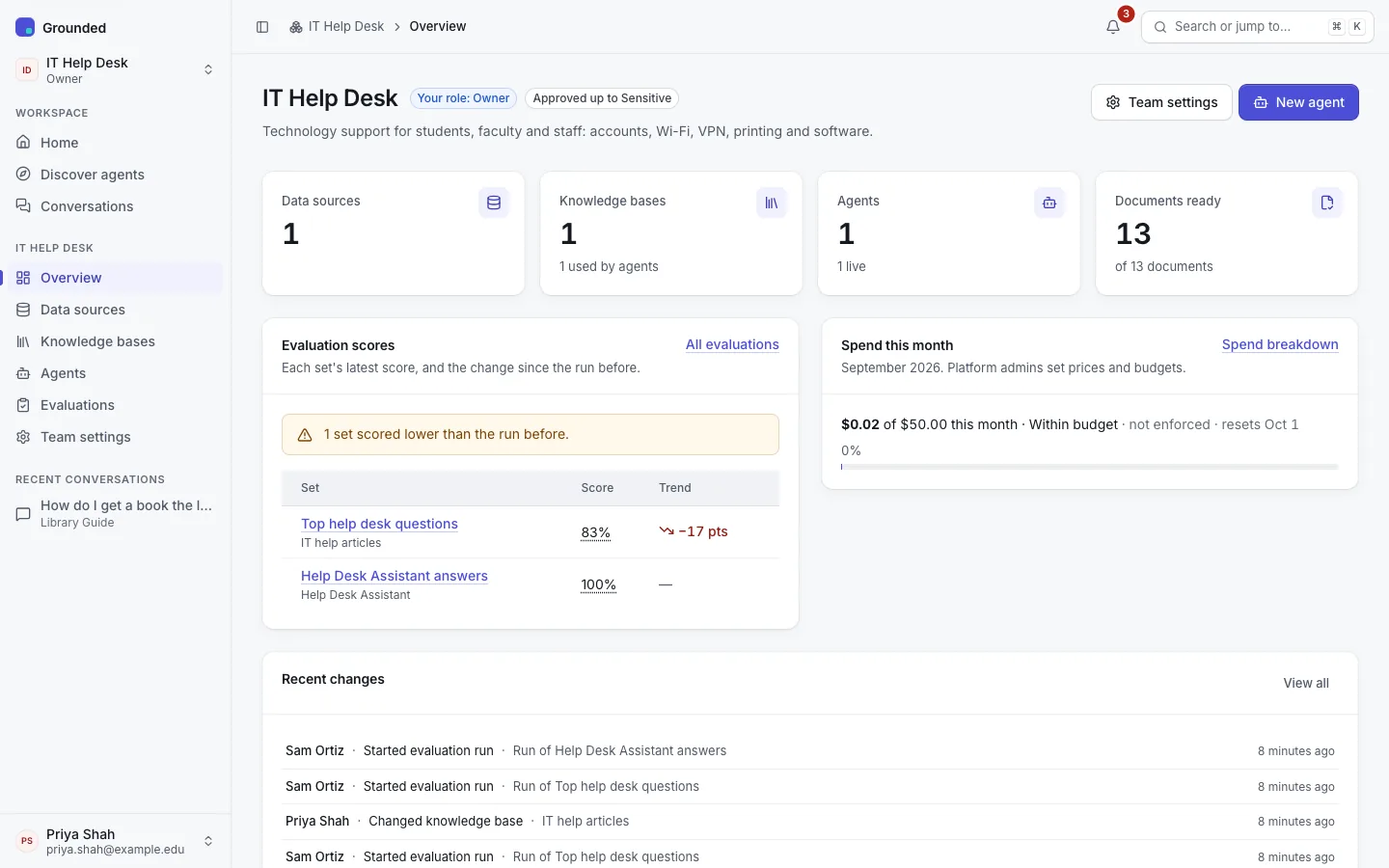
Add a data source
Upload files, or create a web source that crawls part of a site. Grounded parses, splits and indexes each document; a web source re-syncs on a schedule and removes pages that disappear. See Data sources.
Create a knowledge base
Attach one or more sources and test search on its Try it tab. See Knowledge bases.
Build an agent
Write instructions, pick a chat model and the knowledge bases, and try the draft in the panel beside the settings. Publish it when it answers well. See Agents.
Share it
Keep it for the team, share it with everyone who signs in, or make it public with a page and an embeddable widget. It is also a model on the OpenAI-compatible API. See Sharing an agent.
Check it keeps working
Evaluation sets check that the knowledge base still finds the right documents and the agent still answers well after sources, settings or models change. See Evaluations.
Running the platform
The admin portal opens on Overview: the platform at a glance, what needs attention, the optional features and their state, and the latest changes. Its sidebar groups the rest: People, Content, Models, Usage & spend, Safety, Records and Operations.
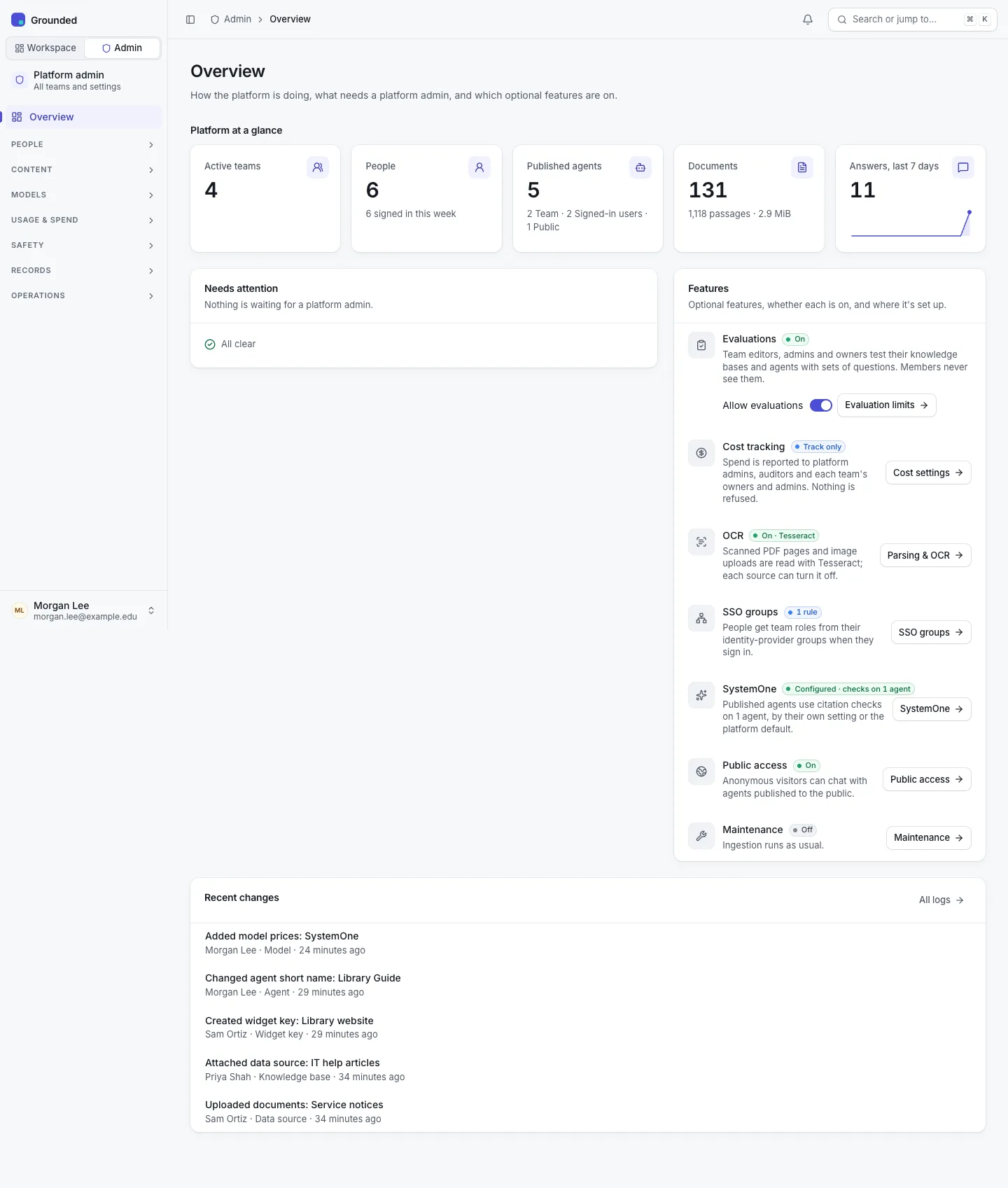
Platform admins can't see team content by default. Auditors see everything the admins see, read-only. See The admin portal.